
Assigning Auction Item Catalog #'s
Add auction item catalog numbers manually or automatically
To manually assign auction item catalog numbers
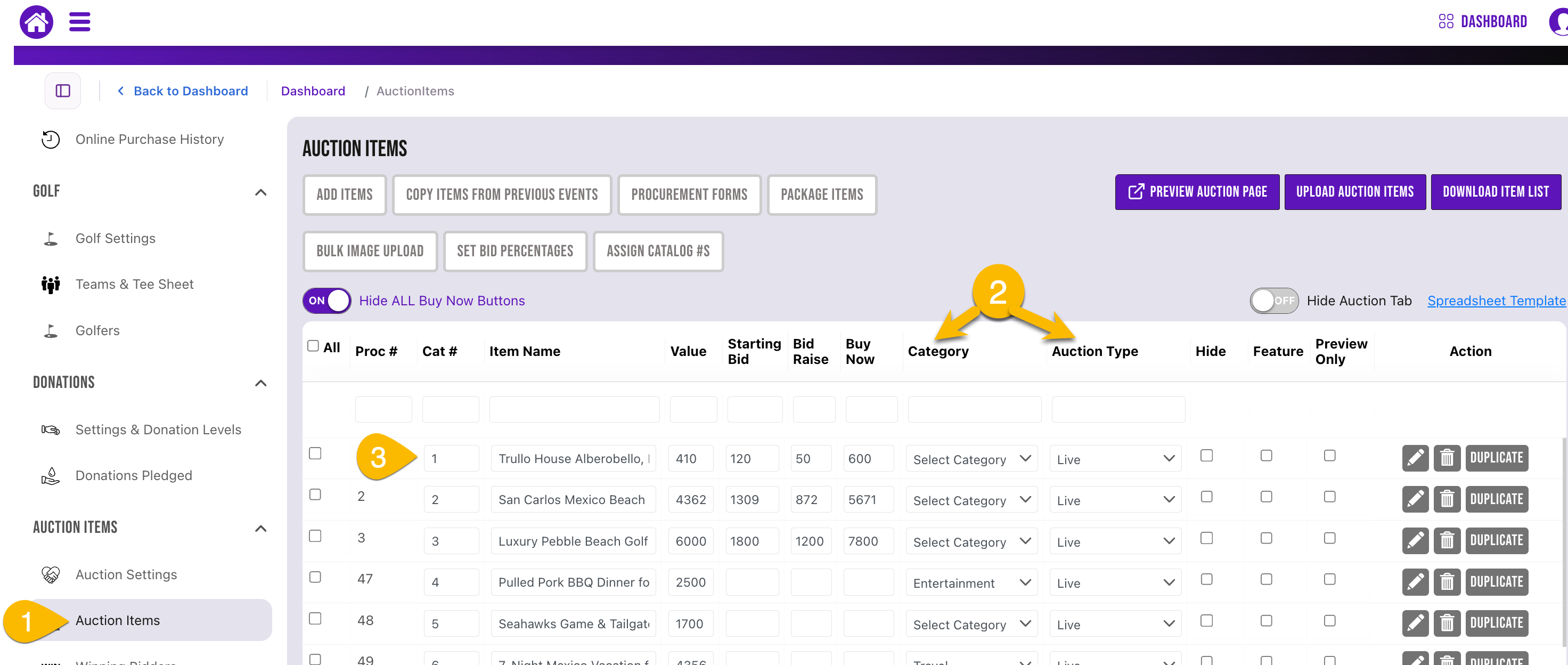
- Go to Auction Items in the dashboard
- Sort by Category or Auction Type
- Type in catalog # in the catalog box.
To automatically assign auction item catalog numbers
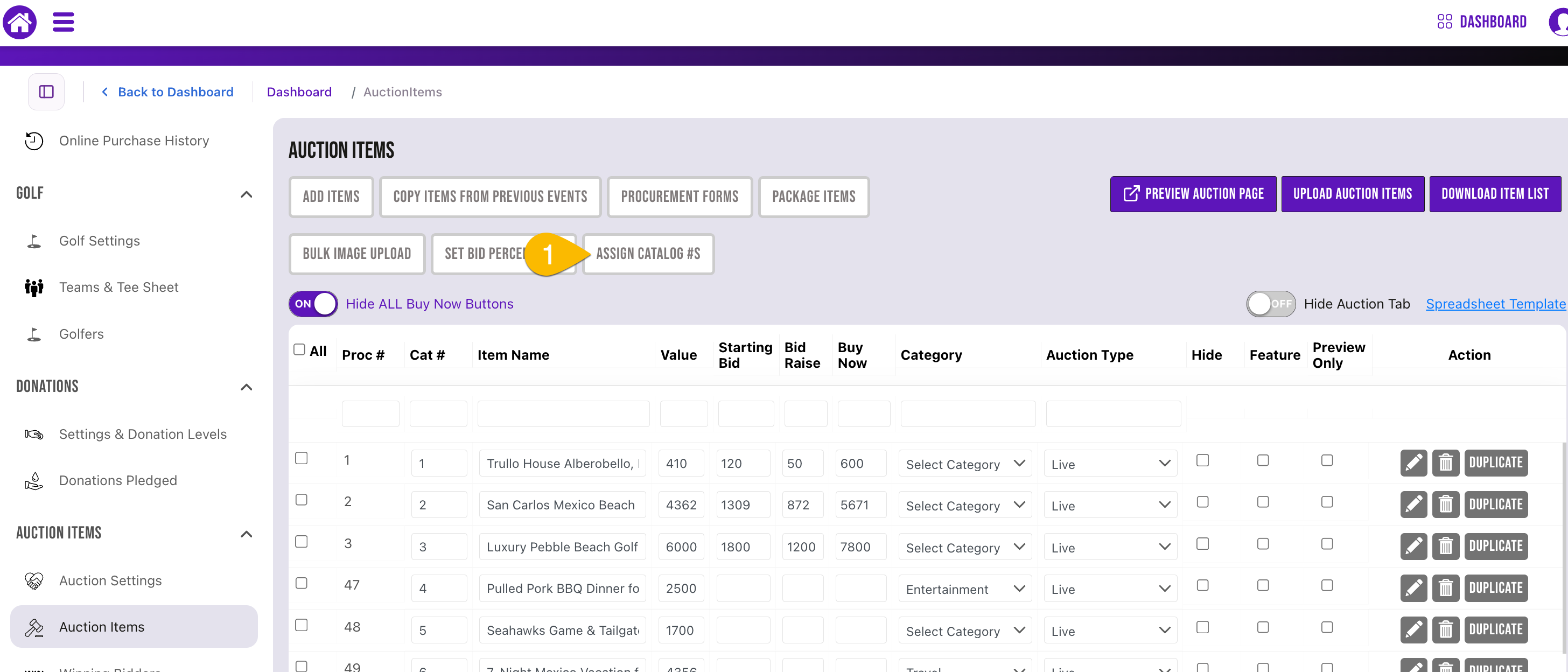
- Go to Auction Items in the dashboard and select Assign Catalog #s
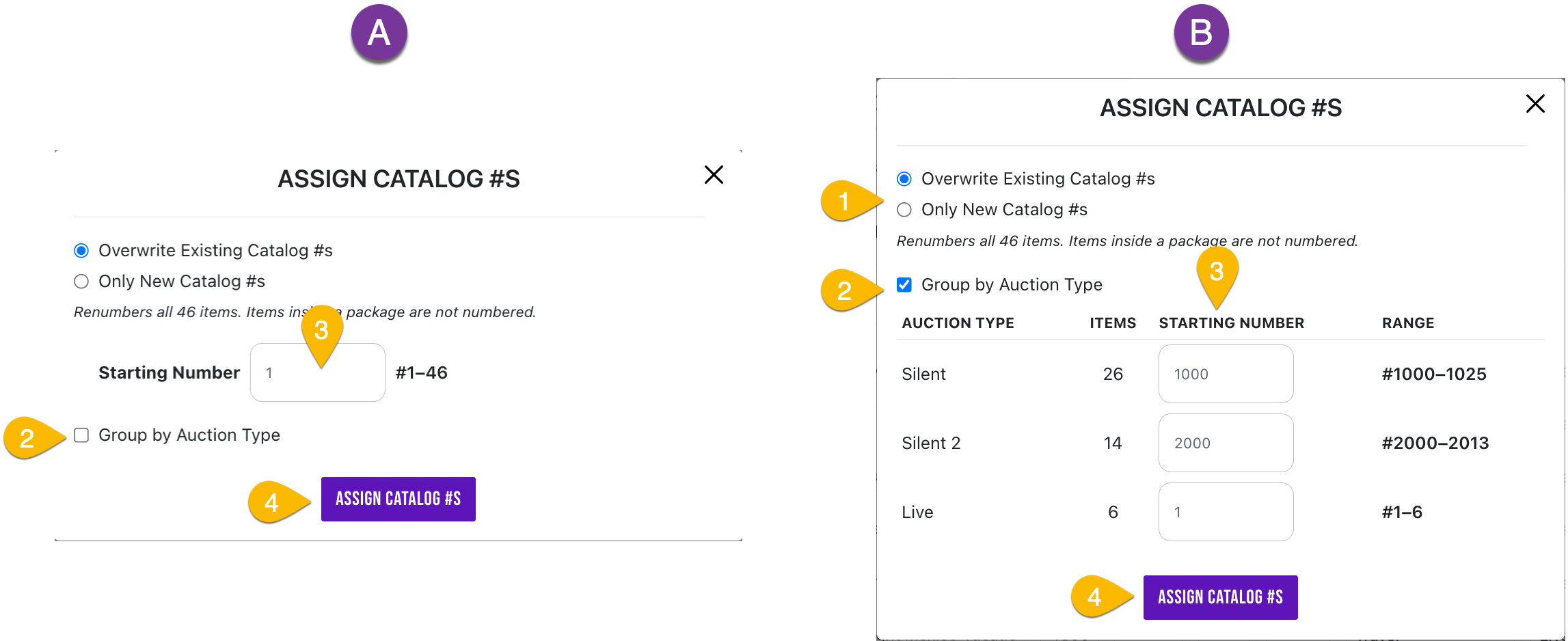
- Choose Only New Catalog #s if you want this to be for all the new items you add or choose Overwrite Existing Catalog #s if you want to overwrite existing catalog # s and assign new.
- Choose to Group by Auction Type or not
- Enter Starting Catalog # wanted
- Click assign when done.