
To Edit or Delete a Sponsor

You can edit or remove a sponsor directly from the Sponsors list in your dashboard. To start navigate to the sponsor page by clicking Sponsors in your dashboard menu.
Edit a Sponsor

- Locate the sponsor in the Sponsors list
- Click the Edit (pencil) icon on the far right
- Update the sponsor details as needed

- Click Save
Delete a Sponsor
To delete a sponsor, you must first remove the sponsor level.
-
Locate the sponsor and click the Edit (pencil) icon

- In the Sponsor Level dropdown, select Select Sponsor Level (clear the selection)

3. Click Save
-
Click the Delete (trash) icon next to the sponsor in the list.
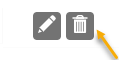
- Confirm the deletion
💡 Good to Know: Removing the sponsor deletes it from the Sponsors list only
- The contact will still remain in the All Supporters list
⚠️ Important: If you need to completely remove the supporter from your database, follow this guide Delete a Constituent.
Printable Quick Help Guide:
(see below for printing instructions)

How to Print This Guide
- Right-click on the image of the guide
- Select Save Image As…
- Save the file to your computer
- Open the saved image
- Click Print (or use Ctrl + P / Command + P)
💡 Good to Know
For best results, print using Full Page or Fit to Page settings to ensure proper sizing and clarity.